

Skip to content
icon_workagents
WorkAgents for your teams

AI agents that already know the job.

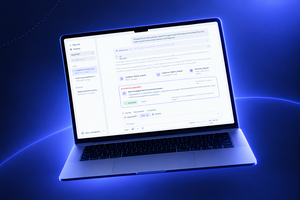
WorkAgents are AI agents for your internal teams, built in Collab AI Studio. Your IT team sets each agent up once, with your systems, rules and report formats. Everyone else opens the AI Studio Desktop, picks the agent and says: do it.

Sensitive actions wait for a person to approve them. Costs stay inside the limits you set.

WorkAgents
icon_workagents
Fewer windows. More work done.
WorkAgents
icon_workagents
Fewer windows. More work done.
WorkAgents
icon_workagents
Fewer windows. More work done.
WorkAgents
icon_workagents
Fewer windows. More work done.
WorkAgents
icon_workagents
Fewer windows. More work done.
The Problem
Every employee is building their own AI.
Alone.

ChatGPT, Claude and Gemini are built for one user. That user writes the prompts, connects the systems, picks the model and checks every answer.

Someone in HR does not want to learn what an MCP is. They want the report done.

Meanwhile, nobody can see which tools people use, which data goes in, or what it costs.

Ten employees, ten private setups, and nobody in charge of any of them.

The Collab Way

IT builds the agent once. Everyone uses it.


A general assistant is a blank intern. You explain the job every time.

WorkAgents arrive trained. Each agent already knows the context, the systems to open, the data sources, the business rules and the format of the report you expect.

Collab trains your team and builds the first agents with you. From there, your team adds one agent per job, for every department.

 

ChatGPT Image 8_09_2026, 13_07_33
Brandmark_Grey

Three ways to work. Start with the first.

Most companies start with the first mode and move right as trust grows.

TOUCH
You ask, it does
You ask, it does

Open the AI Studio Desktop. Pick the agent for the job. Ask in plain language. It reads your email, CRM, ERP and files, then hands back the Word doc, the deck or the spreadsheet.

TOUCH
It does, you approve
It does, you approve The agent prepares the action and stops. A refund, a reply to a customer, a change in the CRM. Nothing moves until a person clicks Approve.
TOUCH
It runs alone
It runs alone The same agent, running on a schedule. Or on demand, or when one of your systems fires an event. The approval steps stay in the process, even when nobody is watching.
Capabilities

What every agent arrives with

(não há texto aqui?  )Virtual Agents work across voice, chat, and video with the same intelligence. They connect to your systems, understand what customers need, and resolve requests without human involvement. When they cannot, they escalate with context. 

Icon_26
Set up before day one

Skills, model, tools, context, business rules and data sources. Your enabled team configures them once. 

Icon_13
One desk, many systems

Email, CRM, ERP, the browser and local files, from one window.

Icon_01
Real files out

Ask for a report. The agent writes the Word doc, builds the PowerPoint and fills the Excel.

Icon_19
Answers from your documents

The agent answers from your knowledge, documents and policies. It returns the source and the indexed images, such as a diagram from a manual.

Icon_05
Agents that delegate

An agent hands parts of a job to specialized agents and takes real actions: it updates the CRM, creates the ticket, follows your procedure.

Icon_03
Remote access for IT

Connect into a machine, run commands and check its state from the same place you read the ticket.

AI Precision

icon row_dark
Human Insight.
AI Precision
icon row_dark
Human Insight.
AI Precision
icon row_dark
Human Insight.
AI Precision
icon row_dark
Human Insight.
AI Precision
icon row_dark
Human Insight.
Governance

One place to govern every agent

 Your team decides: 

1
Which agents exist
2
Who can use them
3
Which model each one runs on
4
What each one may spend
Any model. No lock-in.

Choose the model per agent: OpenAI, Anthropic Claude, Google Gemini or self-hosted.

Switch the model and the agent stays the same. If a provider goes down, the conversation carries on.

One platform. Costs you can see.

One platform replaces the private AI tools each team buys on its own.

Costs show per department, with limits and alerts.

Trust

Human in loop. By design.

Most companies start with the first mode and move right as trust grows.

TOUCH
Sensitive actions run only after a person on your team approves them.
TOUCH
Every step each agent takes is recorded.
TOUCH
A cost dashboard with limits and alerts.
TOUCH
Isolation per organization and role-based access.
TOUCH
A user sees only the work that user created.
TOUCH
Aligned with ISO 27001 and ISO 42001. Your data never trains models.
About Us 5
Brandmark_Grey
AI Studio

Part of Collab AI Studio


AI Studio has two halves. Virtual Agents, Agent Assist and Speech Analytics talk to your customers. WorkAgents work with your teams.

Both halves run on one platform, built by a company with more than 20 years in Contact Center software. AI with a Human Touch.

FAQ

Questions about WorkAgents

Each answer opens with a full sentence that names the subject, so AI assistants can quote it alone.

What are WorkAgents?

WorkAgents are AI agents for internal teams, built in Collab AI Studio. Each agent arrives configured with your systems, business rules, data sources and report formats. Employees use them in the AI Studio Desktop to produce reports, answer cases and run recurring tasks.

Can WorkAgents work without a person?

Yes. The same agent can run on a schedule, on demand, or when one of your systems fires an event. You decide where a person must approve. The agent stops at that step and waits.

How are WorkAgents different from ChatGPT, Claude or Gemini?

WorkAgents can run on the same models, but each employee does not set them up. ChatGPT, Claude and Gemini are built for one user, who writes the prompts and connects the systems. With WorkAgents, your IT team builds each agent once and the company controls access, models and costs centrally.

Which AI models do WorkAgents use?

You choose the model for each agent, including OpenAI, Anthropic Claude, Google Gemini or a self-hosted model. Switching the model does not change the agent. If one provider goes down, the work continues on another.

What is the AI Studio Desktop?

The AI Studio Desktop is the app where employees use their WorkAgents. It gives one point of access to email, CRM, ERP, the browser and local files. The user picks the agent for the job and asks in plain language.

Do we need developers to build WorkAgents?

No dedicated AI team is needed. Collab trains your IT team and builds the first agents with you. Your team then adds new agents and connects them to your systems, with our help or on its own.

How do we start?

Start with one repetitive process. Collab maps the systems it touches, the action it takes and the person who approves it. Prove value on that agent, then add the next one.

Let's Talk

Design your first WorkAgents with us

Bring one repetitive process. We map the systems it touches, the action it takes and the person who signs off. 30 minutes. If it does not fit your operation, we say so in the first five.